
Inventory
Manage items from purchase to completed sale.
Revora connects inventory, storage locations, QR codes and sales workflows in one clear system.
English is available across Revora public pages and core app workflows.
Real Revora product view
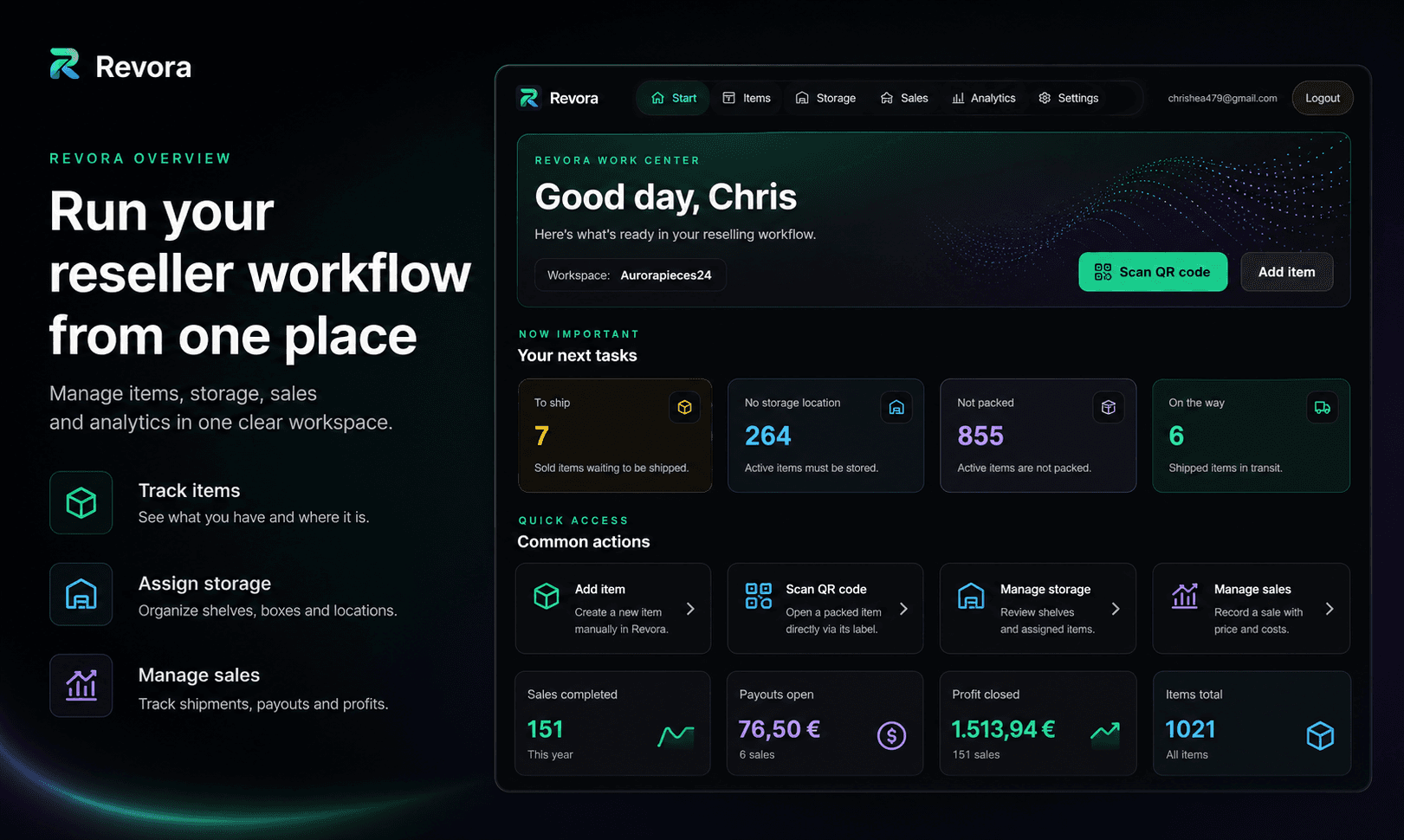
One system
Revora turns physical reselling inventory into a clear, repeatable workflow.
Manage items from purchase to completed sale.
Assign shelves, boxes and storage locations clearly.
Open items and storage locations directly by scanning.
Revora in action
Do not just read what Revora can do. See the workflow built for managing a real reselling operation.
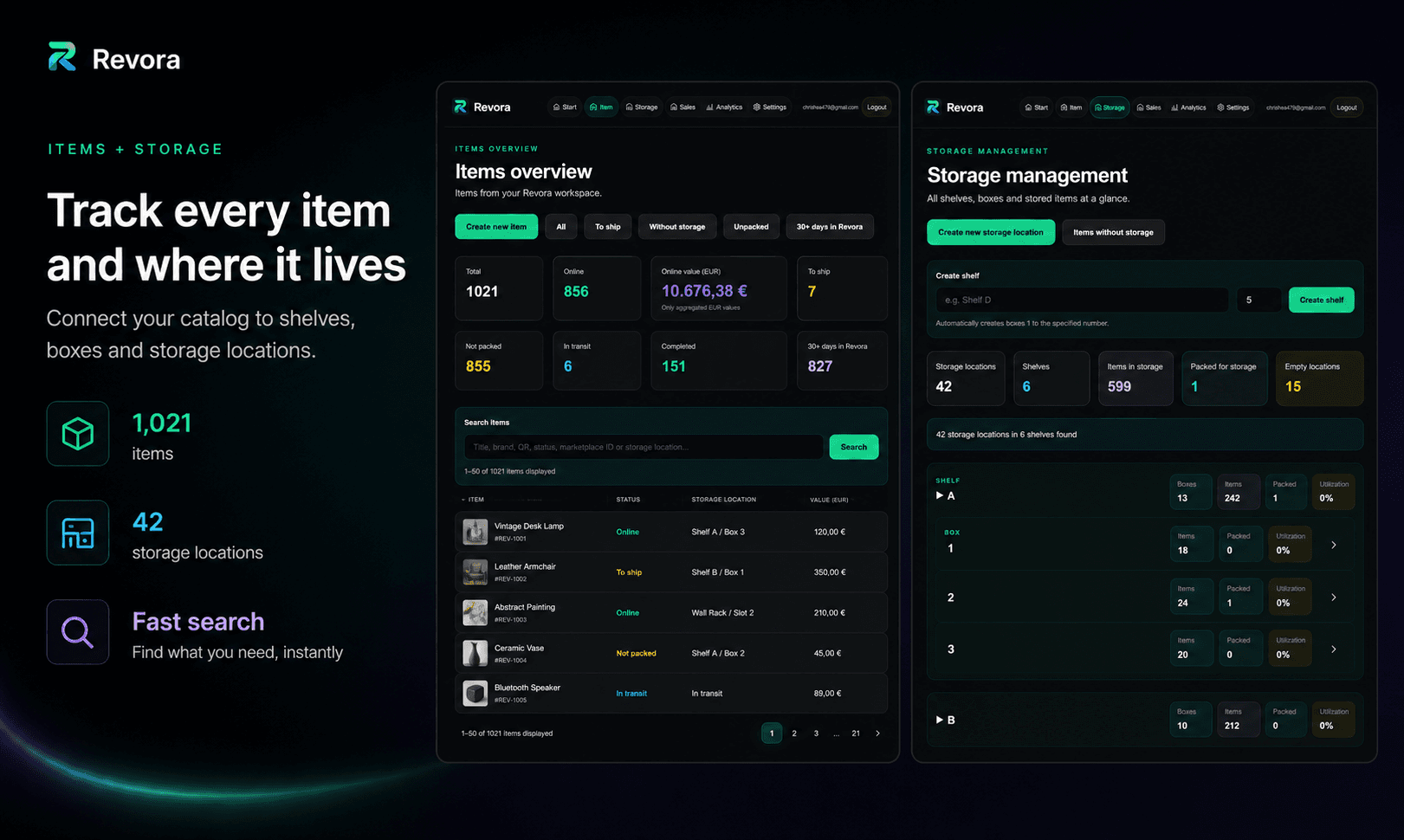
01 · Inventory & storage
Inventory and physical storage stay connected. See what is active, where each item is stored and what needs attention next.
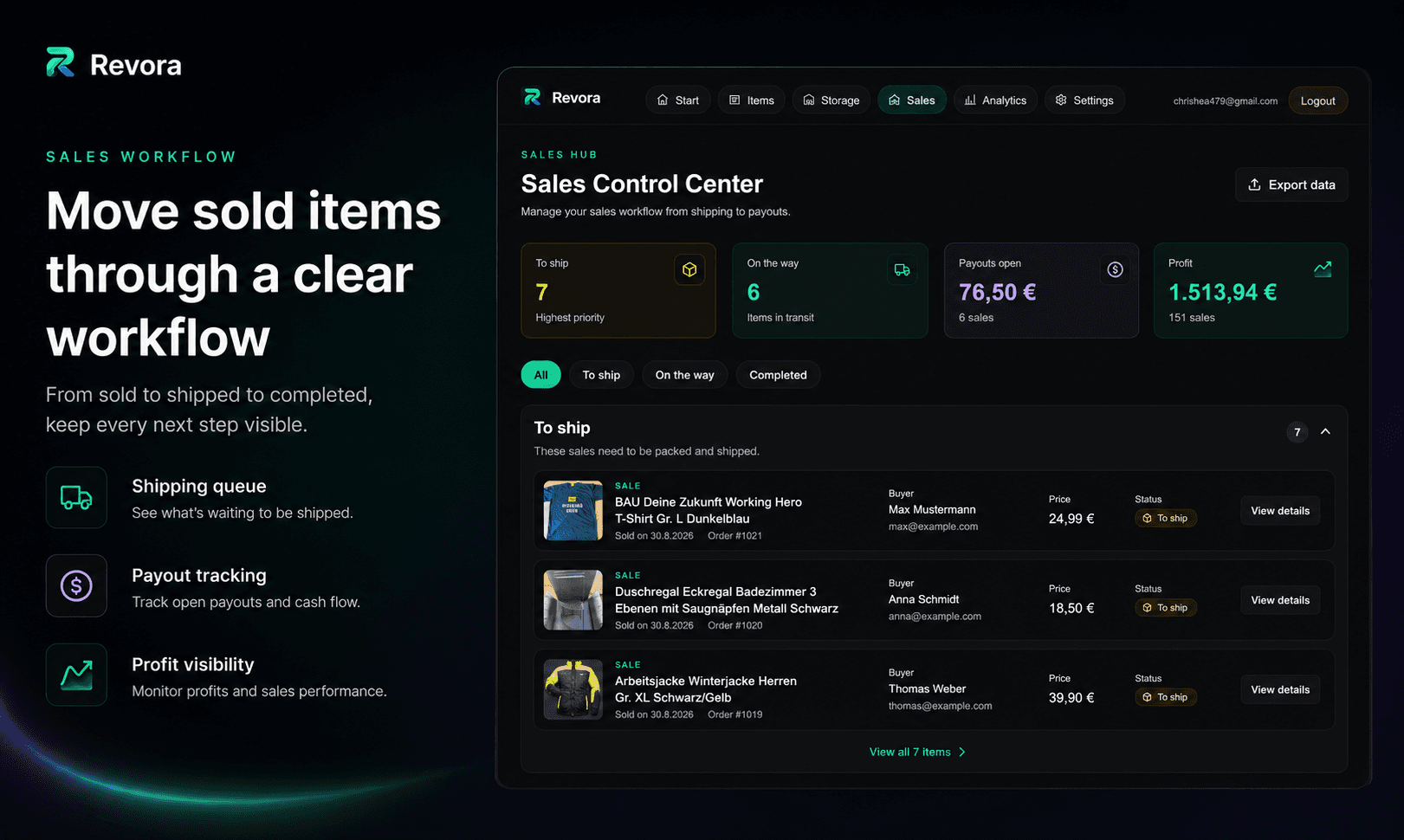
02 · Sales
Sales, shipping status and next actions live alongside your inventory instead of being scattered across separate tools.
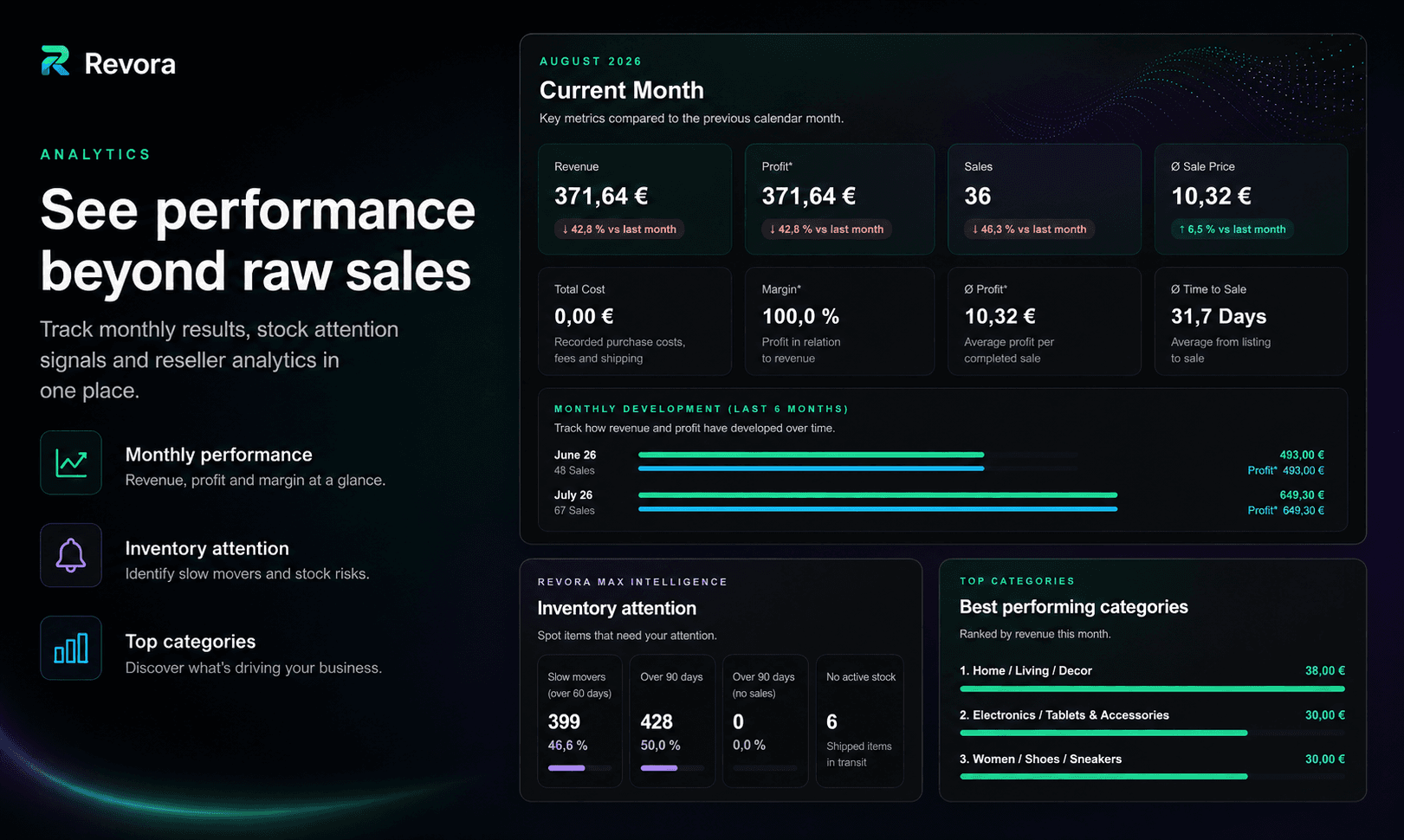
03 · Analytics
Revenue, profit and performance turn your live inventory and completed sales into a clear business overview.
Workflow
Revora follows every item through its operational lifecycle.
Add it manually or through supported marketplace workflows.
Assign the item to a clear physical storage location.
Use inventory, storage structure or a QR scan to reach the right item.
Track the sale and shipping workflow cleanly.
Inventory & storage
Revora connects digital inventory records with your real physical storage.
Storage location
Shelf B · Box 7
Scan the QR code, open the matching inventory item and continue the workflow without searching through boxes.
Marketplace workflow
The Revora Marketplace Companion supports workflows for Vinted, eBay, Kleinanzeigen and Depop.
Reseller equipment
Revora remains your digital inventory system. Alongside it, we show the shelves, bins, label-printing and shipping solutions we use for structured reselling workflows.
Storage shelves
A stable structure for growing inventory
Storage bins
Give physical items clear locations
Label printers
Print QR and storage labels efficiently
Shipping supplies
Pack and ship completed sales cleanly
Create your account and manage inventory, storage, sales and settings in English.
Create a free account