
Detect listing data
Read title, price, brand, images, description and other available listing information.
Bring your Revora workflow directly into Vinted, eBay, Kleinanzeigen and Depop. Detect listings, import item data, compare status and continue the sales workflow without constantly switching tabs.
Desktop Chrome · Manifest V3 · Public Beta
Revora
Marketplace Companion
Marketplace
Vinted · eBay · Kleinanzeigen · Depop
Inside the real marketplace
The Marketplace Companion detects the current listing directly on the marketplace, matches it with your Revora inventory and surfaces the next relevant workflow step.
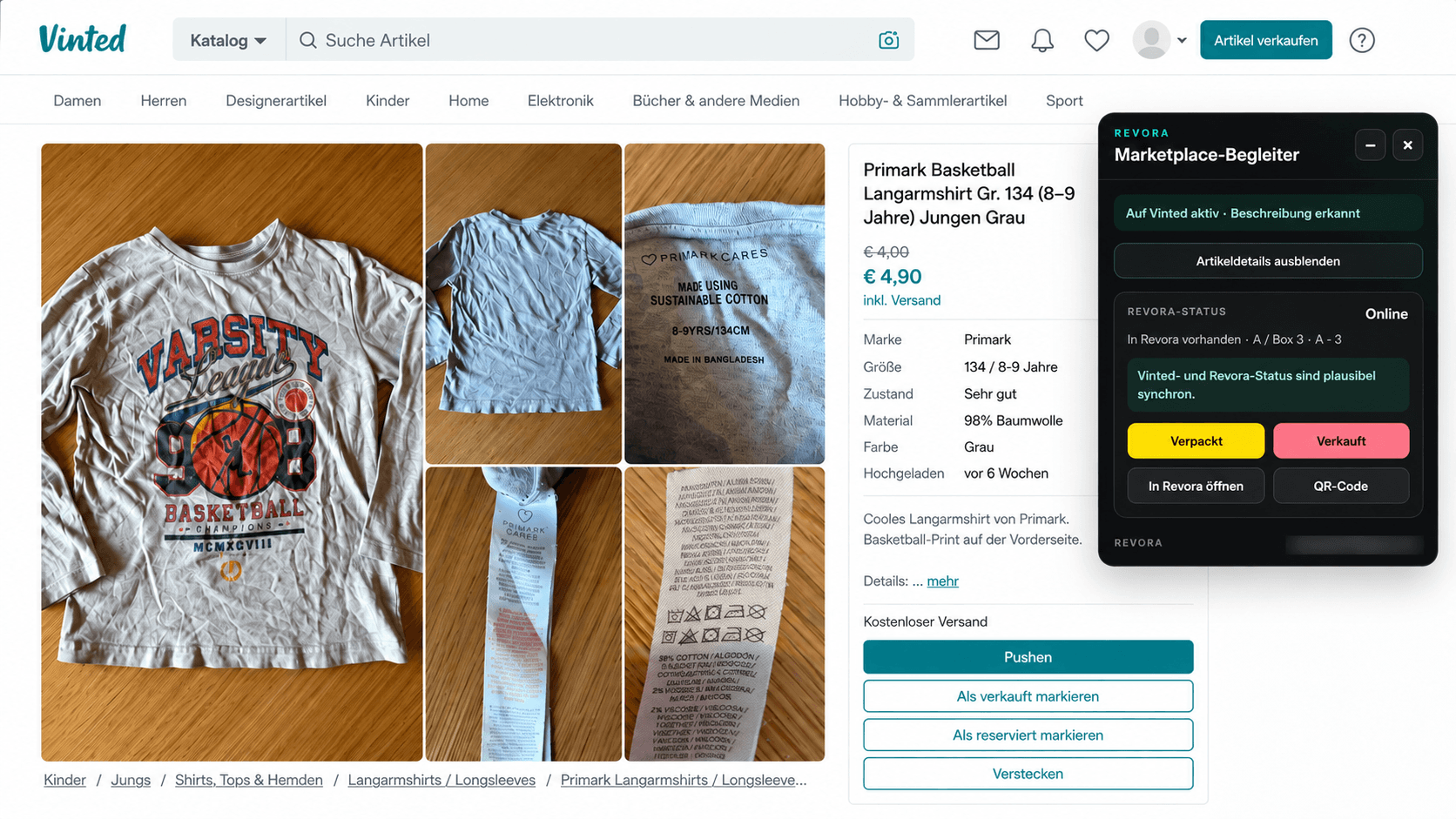
Vinted
Revora recognizes existing inventory and shows whether the marketplace listing and internal workflow are aligned.
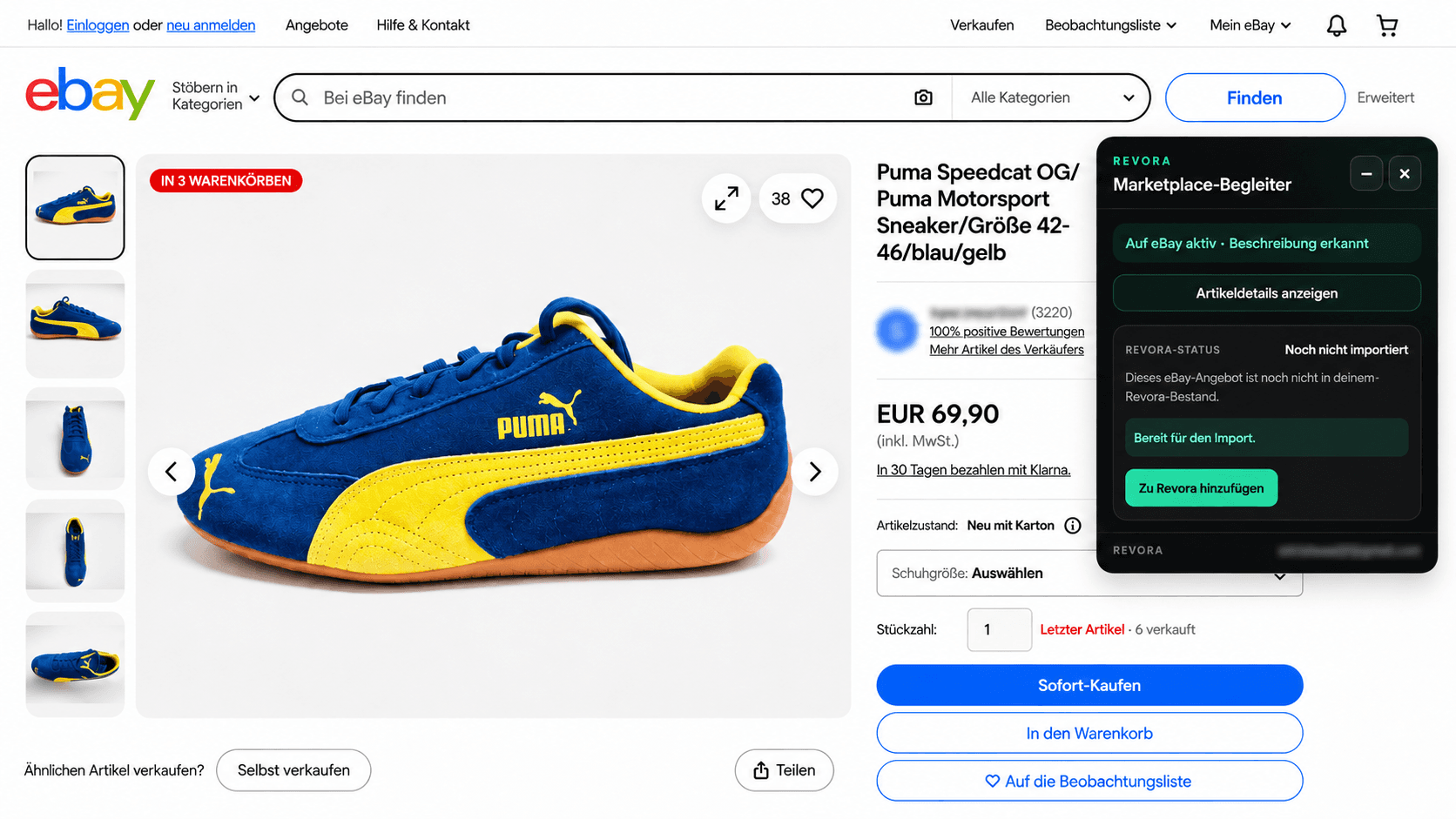
eBay
Detected listing data can move into your Revora inventory without copying information between tabs.
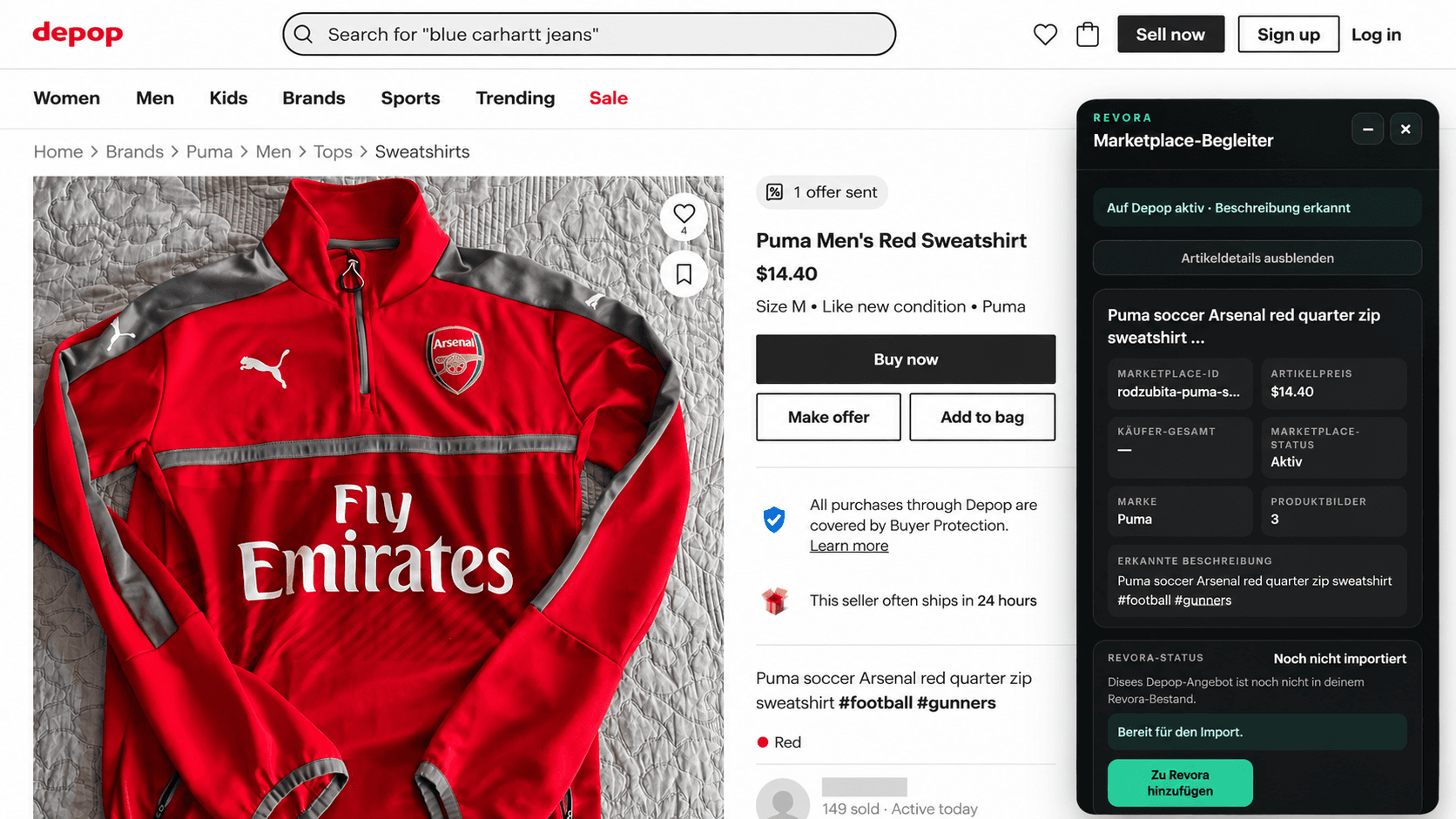
Depop
Title, price, brand, images and description are detected directly in the marketplace context for Revora.
Marketplace names and trademarks are shown solely to demonstrate supported integrations. Revora is independent and is not affiliated with or endorsed by Vinted, eBay or Depop.
Marketplace workflow
The Marketplace Companion connects the current listing with your Revora workspace.
Read title, price, brand, images, description and other available listing information.
See whether the item already exists in your workspace and which status it currently has.
Bring marketplace data into Revora instead of entering the same information again.
Move through packing, sale, shipping and completion actions when the current status allows it.
Use your Revora login and workspace connection directly inside the companion.
Minimize or close the panel and reopen it directly on the marketplace page when needed.
Context-aware actions
Revora compares marketplace state with your workspace and surfaces the appropriate next action.
Installation
01
Open the published Revora Marketplace Companion in the Chrome Web Store.
02
Install the extension and approve the required Chrome permissions.
03
Open an item on Vinted, eBay, Kleinanzeigen or Depop.
04
Open the companion and sign in with your Revora account.
The ZIP build remains available as a controlled fallback for troubleshooting and special cases.
Support
For installation or marketplace-detection help, use Revora English support.
Open support